

1. What Is the Feedback System?
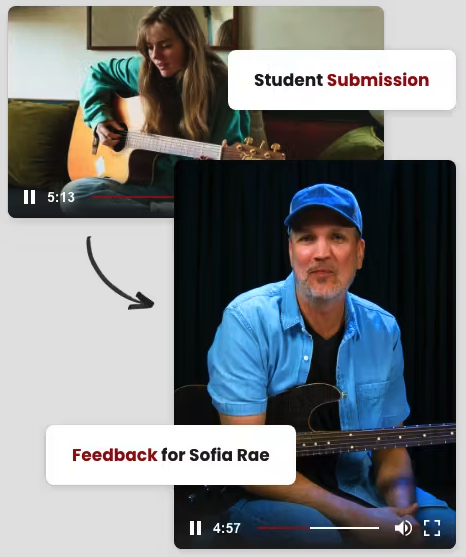
The Feedback System lets Full Access members record a short video of themselves playing and submit it directly to Guitar Tricks. A Guitar Tricks instructor then reviews your video and records a personalized response analyzing your technique, answering your questions, and offering specific guidance tailored to your playing.
The feedback video is shared only with you. It's a private, one-on-one exchange between you and your instructor.
2. Who Is This For?
The Feedback System is valuable at every skill level. You might use it to:
• Check your technique on a chord, scale, or picking pattern
• Get confirmation that you've learned a lesson section correctly
• Ask for advice on a specific song or style you're working on
• Get unstuck on a tricky technique you've been practicing
• Receive encouragement and direction for what to work on next
3. How to Submit a Feedback Video
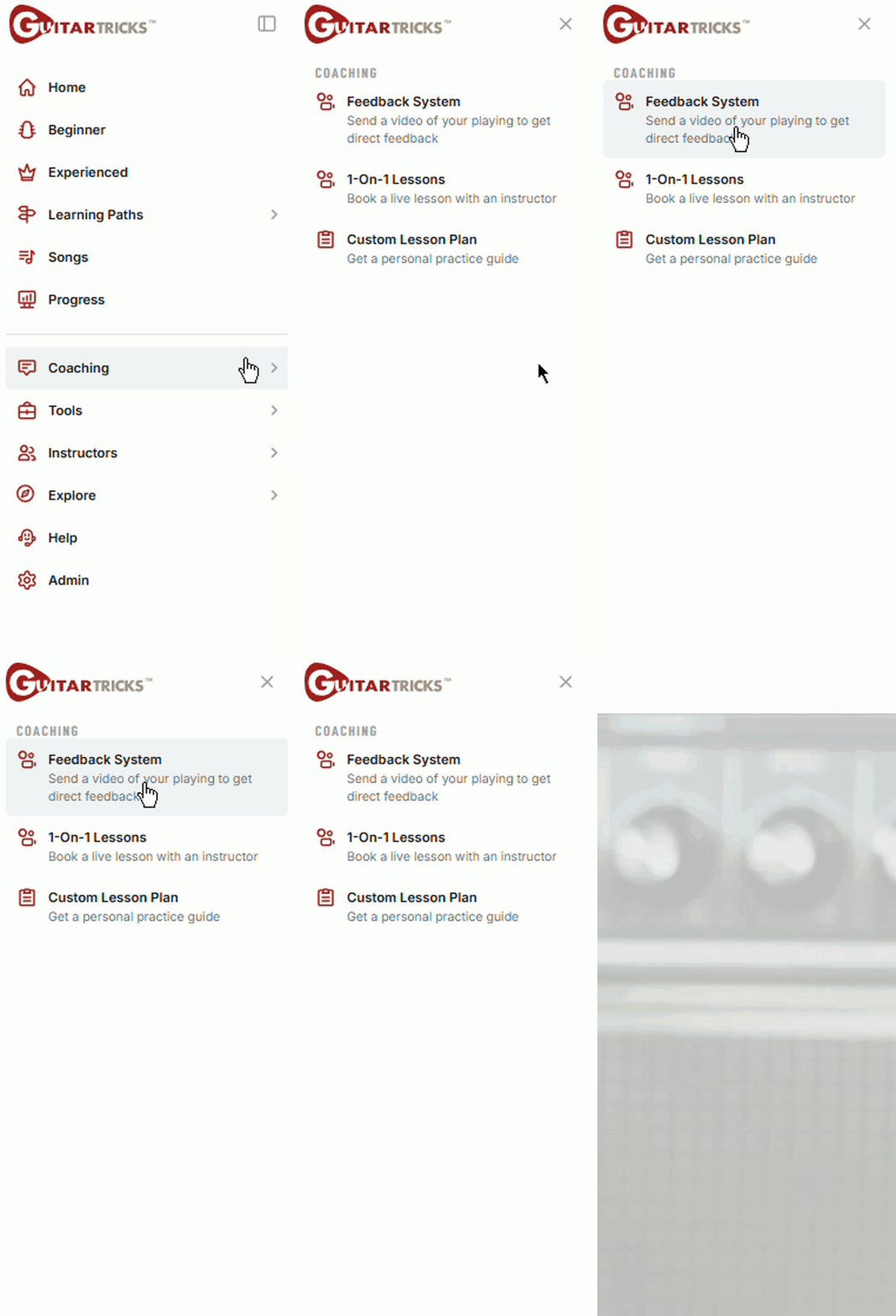
1. Make sure you're logged in as a Full Access member and visit guitartricks.com/feedback. You can find this on the left navigation menu, under Coaching > Feedback System
2. Record a short video of yourself playing — use your phone, webcam, or any camera you have available.
3. Upload the video to YouTube (you can make it private and unlisted) and share the video link through the feedback submission form.
4. Add a note describing what you're working on, what you'd like feedback on, or any specific questions you have. The more context you give, the more targeted the response.
5. Submit — an instructor will review your video and record their response.
6. You'll be notified when the feedback video is ready. The video is visible only to you.
Tips for a Better Submission
Film in a well-lit space. Make sure your fretting hand and strumming hand are both visible. Keep your video to 1–3 minutes and include a written question so the instructor knows exactly what to focus on.
4. What to Expect in the Response
Instructor feedback videos are personalized to your submission. Depending on what you asked, your instructor may:
• Play alongside or demonstrate the technique you submitted
• Point out specific areas for improvement and explain how to fix them
• Confirm what you're doing right and build on it
• Suggest exercises or lessons to target your weak spots
• Answer any written questions you included with your submission
5. Frequently Asked Questions
Who reviews my video?
Your video is reviewed by a Guitar Tricks instructor — the same professional educators you see in our lesson library. Instructors include specialists across rock, blues, acoustic, jazz, and country styles.
How long does it take to get a response?
Response times vary but turnaround is usually within one week. You'll receive a notification when your response is ready.
Is my video private?
Yes, your submission and the instructor's response are shared only with you. No one else can see your video.
Can I submit multiple videos?
Yes. You can submit videos covering different concerns. Each submission receives its own instructor response.


