

How do you make the font size larger, I can barely read it? Can or does the screen scroll?
Screen

# 1

Hey, which screen or page are you asking about? Can you give more details?
-Carl
Carl King
Director of Content
GuitarTricks
Los Angeles, CA
# 2
The one with the tab on it. It's really small when displayed with the instructor and if you pop it out it's so large you can only see a very small section. So, if you are trying to learn a song instead of it scrolling so you can see it you have to stop and scroll every line yourself.
Thank you
# 3
That's strange -- can you tell me which tutorial this is happening on, and/or what device or browser you are using?
-Carl.
Carl King
Director of Content
GuitarTricks
Los Angeles, CA
# 4
#4
Originally Posted by:
Carl King
That's strange -- can you tell me which tutorial this is happening on, and/or what device or browser you are using?
-Carl.
I was in songs on The Breeze, Sweet home Chicago, and a few others. I use Bing.
Thanks
# 5
If you try another browser, does this same thing happen to you?
-Carl.
Carl King
Director of Content
GuitarTricks
Los Angeles, CA
# 6
To increase the font size, you can adjust your browser settings or use keyboard shortcuts like Ctrl + + (Windows) or Command + + (Mac). As for scrolling, yes, the screen should scroll if the content exceeds the visible area. Hope this helps!
# 7
This is an extremely easy "fix"
I do it practically every time I view a lesson
...adjusting the size of font in the main window (or adjusting the size of the Tab window itself)
for various reasons; without even really thinking about.
whilst the size of the text in the pop-up tab window will adjust via keyboard shortcuts like (holding "command") and tapping "+"
What that's doing is increasing/decreasing the image size (the tab is an image; in the pop-up window)
...and it will simultaneously increase/decrease the size of the text in the video-window as well.
(at least with google-Chrome)
So what I do is adjust the size of the pop-up tab window itself; by "clicking and holding" on the edge of the window and "dragging" using the cursor/pointer.
However
It might be tricky to learn by reading some text about it;
especially if computers are still quite alien to you;
and guessing from the question... they are.
One can web-search for a video explaining practically ANYTHING
The trick is knowing what things are called.
imo the key problem here is you are way behind when it comes to computers.
I'm behind; but not way behind.
Most adults stop being tech savvy past public school
because there's not a system forcing them to buckle down and stay up to pace with things like technology; and they have no strong desire to.
So
IF you don't already know this stuff
THEN you'd be well-served to take an entry level computer class so you'll know what things are called; and then can web search for vids in regards to any question you might have.
many libraries have them for in person instruction.
otherwise there's various online vids on youtube
your local librarian will be able to demo this as well as help you find a good course
For best results find the youngest librarian you can
# 8
yeah you DEFINITELY need a beginners computer>internet course
Bing is NOT a browser
Bing is a search engine
I was positive of that; but checked to make sure
(in that I wasn't sure if they combined it with ie and called the whole thing "Bing" or something)
(image related)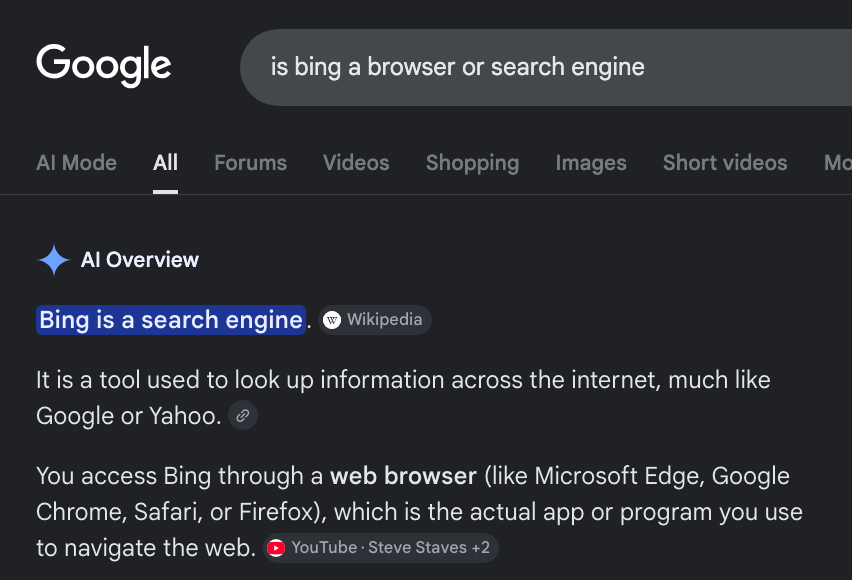
edited
# 9